
Occasionally, you will be prompted to update your Windows password. If your password expires, your access to your email, shared drives, and SharePoint could be restricted and you may see popups on your phone or PC asking you for your username and password. You'll enter those items to no avail, due to the account password being expired. It's time to update your password! To do so, please follow these steps:
Upon logging on to Windows, you may see the following popup:
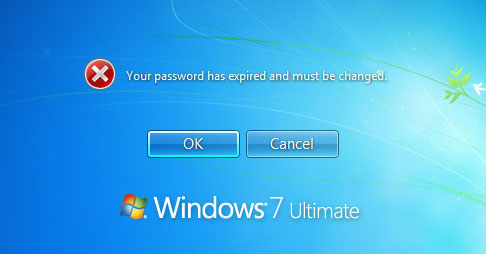
If so, click ok, and follow the directions to reset your password.
If you want to change your password while you're already logged in to Windows, hold down Control-Alt-Delete, and you should see the following screen:
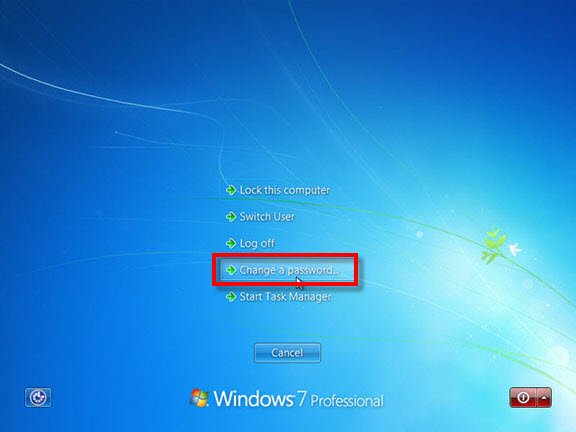
Click "Change a password". The following screen should pop up.
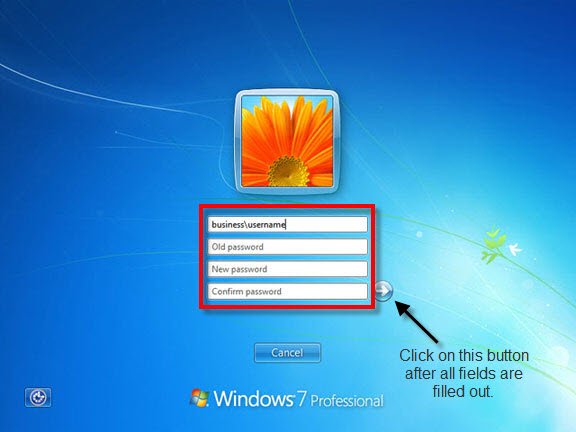
Enter your old password once, then your new password twice, and click on the arrow button to save the changes.
Occasionally, some of the security functions might not work automatically after a password change. If you are experiencing issues accessing email, SharePoint, etc., log completely out of Windows and log back in with your new password and you should have access to everything you need.
Comments
0 comments
Please sign in to leave a comment.