
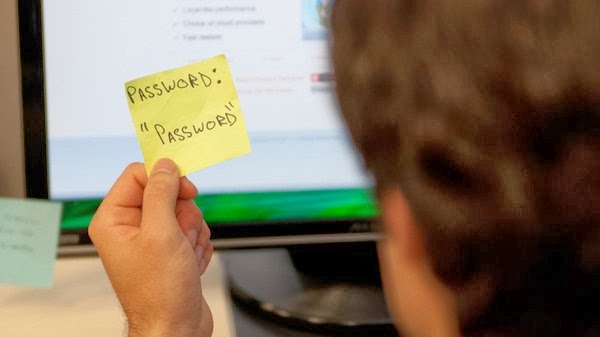
Admit it, you hate passwords. They seem to at the very best, rule our lives, and at the very worst, ruin our lives. But in today’s age of cryptocracking-hacking-fake-newsing-taking-out-a-home-loan-in-my-naming, we all likely agree that passwords are a necessary hindrance if we’re to stand any chance at all of not having our identities stolen or our company networks come crashing down around our ears because we accidentally clicked that flashing thingy.
Here are a few tips to remember when you have a new username and/or password to manage:
DO’s
- When you set up a new password, or reset an old one, jot it down TEMPORARILY, or use Notepad to type it into, again, TEMPORARILY. How many times have we all set up a password and then immediately forgot what we put in? Then, after moving on to one of the following steps, burn, shred, or delete your jotting surface.
- For the techier, nerdier crowd, use a password management app on your phone. You basically have to remember one master password, and upon opening the app, you can store all your other usernames and passwords for various work and personal applications.
- Slightly less nerdy, but also convenient… use your phone’s note application to store your credentials. The one thing to remember though is, if you go this route, you MUST password-protect your phone with a strong code, or use biometrics like fingerprint or facial recognition. If someone takes your phone and it’s not secured, they have all your information. This is actually a best practice for ALL mobile device users, no matter what.
- This isn’t the greatest or most secure, but if all else fails, write your credentials down in a “little black book”, and keep it somewhere very secure. Or if you absolutely must, scribble the info down on a sticky note, fold it, and put it in your wallet or purse. Sure, it’s not high tech, but nobody knows how to hack into a wallet yet. And if you don’t write down exactly WHAT system each set of credentials are for, anyone who found the information would have some work ahead of them.
DON’T’s
- Don’t write your password on the aforementioned sticky note and stick it under your keyboard or on your monitor. Everyone knows when you do it, and we all secretly log on to your computer when you’re gone. We don’t even feel bad about it.
- Don’t (or at least try REALLY hard not to) use the same login and password for multiple systems. This is especially important when it comes to using your webmail (Gmail, Yahoo, etc.) credentials, as webmail accounts are almost guaranteed to be compromised at some point in your ownership of them. Using the same credentials allows a hacker to use the “hey, if it works here, it’ll work elsewhere” strategy, which is sadly a very effective strategy.
Comments
0 comments
Please sign in to leave a comment.