
Please click the link at the bottom of this page to download and install the Flexxi Image Resizing Tool
This tool is intended to help you resize image files that you intend to attach in K8. K8 has strict attachment size restrictions, and many image files are so large that K8 will not allow more than one image to be attached, sometimes not even that many.
To use Flexxi, first download, save or move your photo files to your computer's Photos folder. Feel free to create additional subfolders within Photos to help you keep them organized.
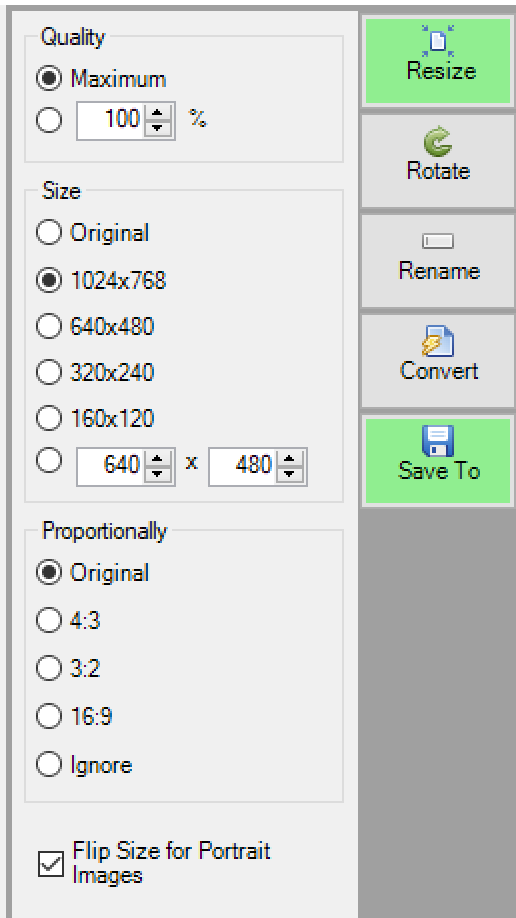
Next, open the Flexxi application. If you already clicked the link at the bottom and downloaded Flexxi, please take note of where you downloaded it to. You can right-click on the Flexxi.exe file and click Send to Desktop to create a desktop shortcut. Next, you'll need to configure a couple of settings. Click the Resize button in the upper right corner, and change Size to 1024x768
Then click the Save To button and make sure the "Create Subfolder" is checked. This will create a "Resized" folder inside of your Photos folder, where you'll go to find your resized photos
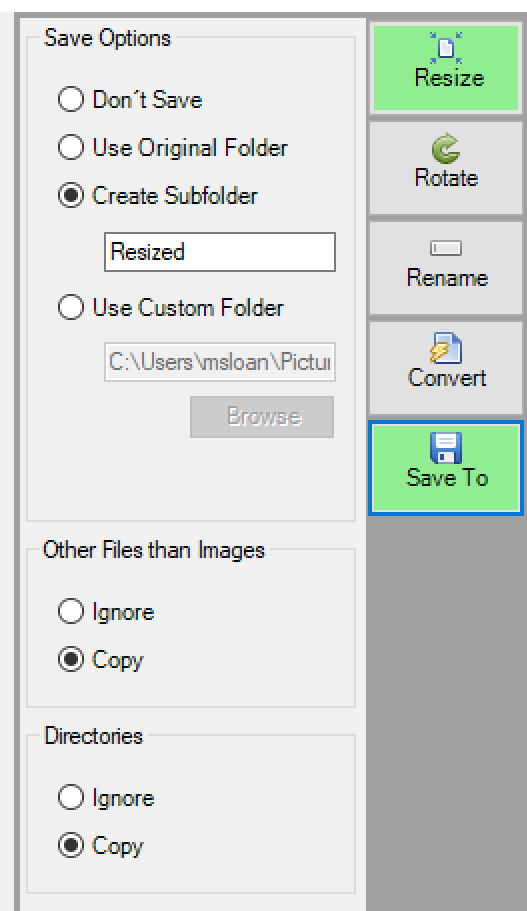
Once these settings are set, you won't have to change them again.
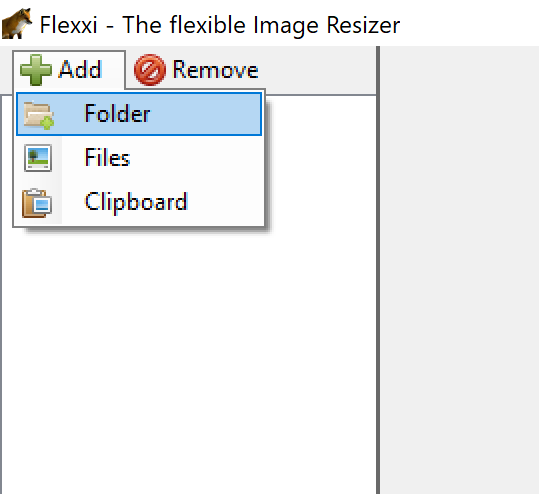
Now, to resize your photos, click the Add button in the upper left, then select Folder or Files. Select Folder if you want to resize all the photos within a single folder, or select Files if you want to point Flexxi at just a single photo file.
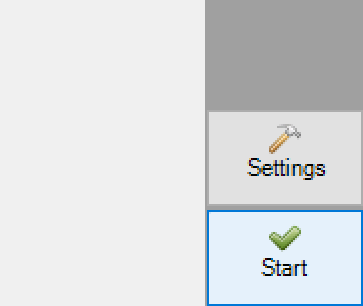
Finally, click the Start button at the bottom right. Flexxi will resize all the photos you selected and notify you when complete. If you're resizing a large number of photos, the process may take several seconds.
Please note, if your folder contains files that are NOT images, such as a PDF, Flexxi will bring up an error regarding those files. If you click Ignore, it will then ask you if you want to save a default setting, which you do. That way, in the future, Flexxi will remember to ignore PDF files.
You're all done! Open the Resized folder to find your resized photos, and then you may attach them in K8 with less muss & fuss!
Click below to download Flexxi
Comments
0 comments
Please sign in to leave a comment.